What you will achieve
- Import an EPANET INP file in WatDis Free.
- Run the steady-state hydraulic calculation with Run Steady.
- Use the pressure bands and review pipe flow and velocity with their displayed units.
Before you start
- Have an EPANET .inp file for a pressurized water-supply network.
- Know whether the source model uses US or SI units.
- Keep the original file unchanged so you can compare or restart.
What Free includes—and what remains Pro
In WatDis Free you can import an EPANET INP file, run the steady-state hydraulic calculation, and review pressure, flow, and velocity.
- Upgrade leads to optional Pro capabilities.
- GA optimization remains a Pro capability.
- Exporting networks with more than 100 nodes requires Pro.
Step-by-step tutorial
Your first EPANET model: import, run, and review for free
Import an INP, run the steady-state calculation, and review pressure, flow, and velocity with the Free plan.
Import the INP
Load the network and confirm its context
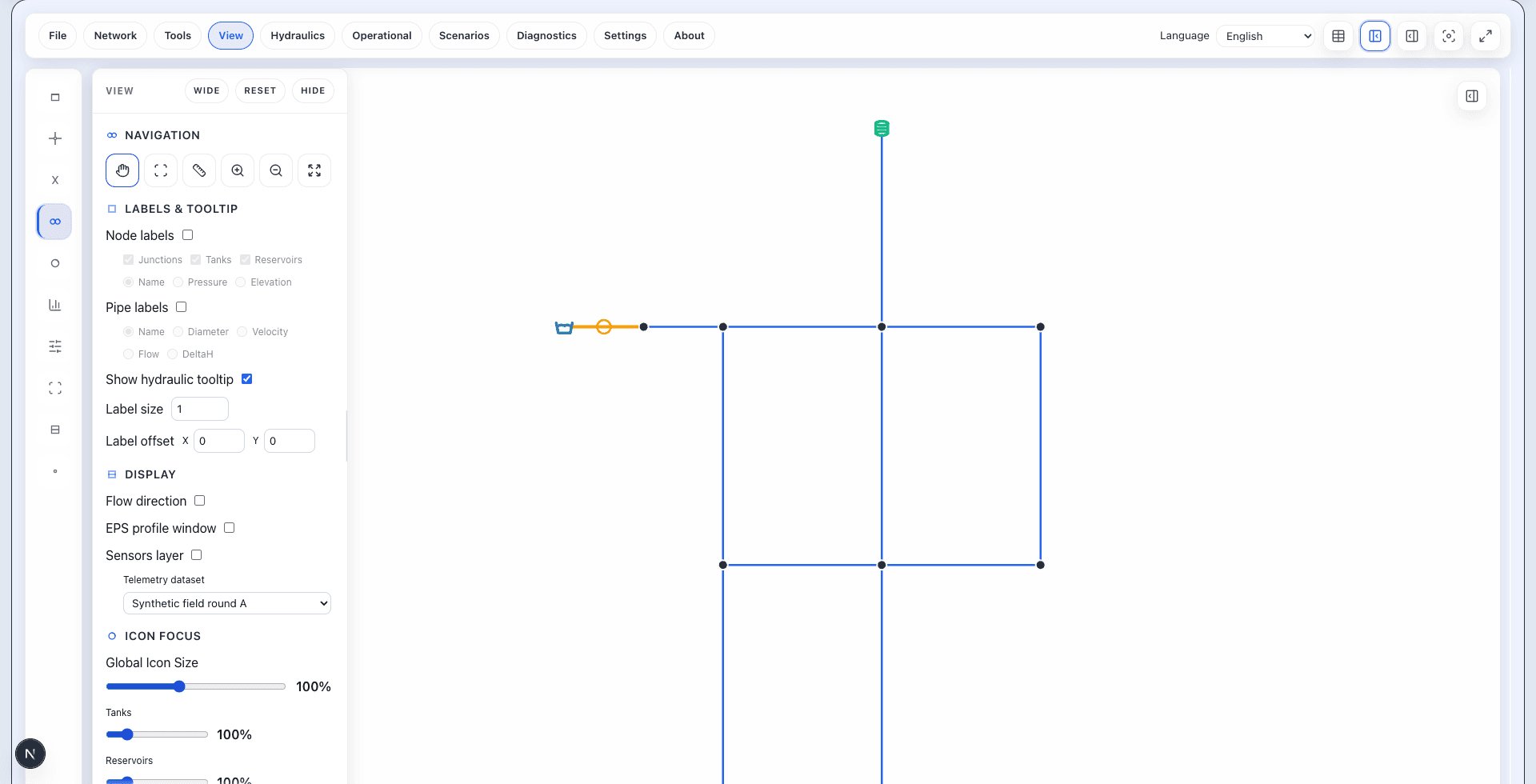
Start from the source model. The public sample used in the video has 11 nodes and 13 links. If you use your own model, compare it with your original file.
Do it in WatDis
- Open File and choose Import EPANET. Select the .inp file and read the import confirmation.
- Fit the complete network to the canvas and confirm that the expected nodes and links are present.
Checkpoint: The INP is loaded and the network is complete enough to calculate.
Run Steady
Run the steady-state hydraulic calculation
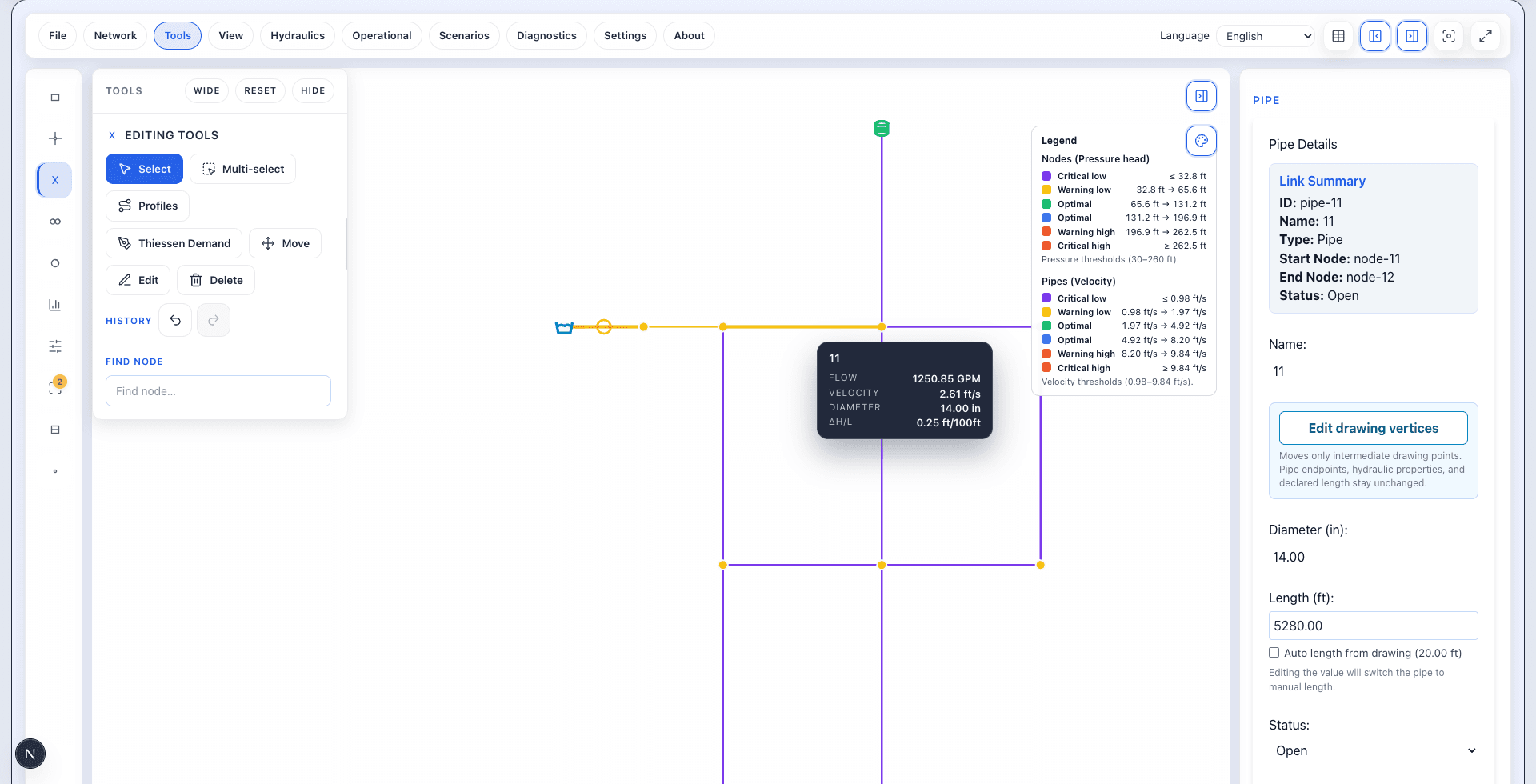
A steady-state calculation gives you a first set of hydraulic results for the model’s input conditions. Read the units alongside the legend.
Do it in WatDis
- In Hydraulics, choose Run Steady and wait until the calculated network and its pressure and velocity legend are visible.
Checkpoint: The steady-state calculation completed and result bands are visible.
Review pressure, flow, and velocity
Read values before drawing conclusions
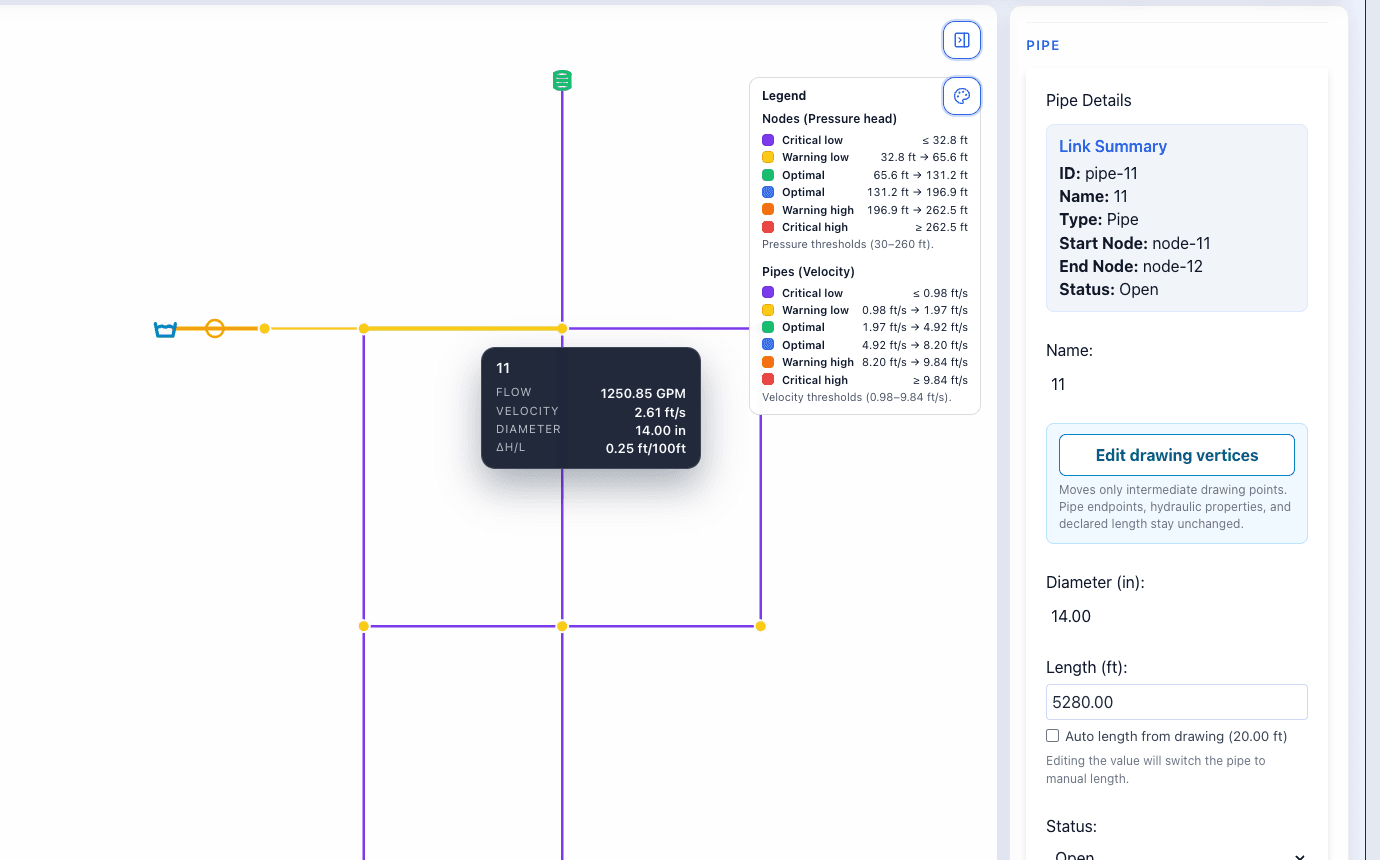
Use the network and the result panels together. The screenshot shows the selected pipe's flow and velocity alongside the legend. The video also demonstrates selecting a node to review pressure.
Do it in WatDis
- As demonstrated in the video, select a node and read Pressure together with its displayed unit.
- With the result legend visible, select the pipe shown and record its flow and velocity with their displayed units.
Checkpoint: Your review records the visible pressure bands and the selected pipe's flow and velocity without treating a band as a confirmed finding.
Common mistakes
Common mistakes
Starting with a Pro action
The basic Free path uses Run Steady. Upgrade is optional and GA optimization remains Pro.
Reading colors without units
Confirm the source unit system and the visible legend before comparing pressure, flow, or velocity.
Treating a band as a diagnosis
A result band identifies where to inspect. Verify model data and operating assumptions before concluding.