What you will achieve
- Recognize WatDis's scope for pressurized water networks.
- Prepare a working file and choose the workflow you need.
Before you start
- Have an EPANET .inp model ready, or begin by watching the sample tutorial.
- Keep the original file so you can compare your changes.
01
Start with a question about your network
WatDis helps you model, calculate, and review pressurized networks, primarily water-supply and distribution systems. Start with a concrete question: what pressure a node has, or how much water flows through a pipe.
- The INP file describes the network and its calculation conditions.
- Geometry helps you locate elements; results help you review them.
- Interpret calculated results together with the model's data and assumptions.
02
Follow three steps
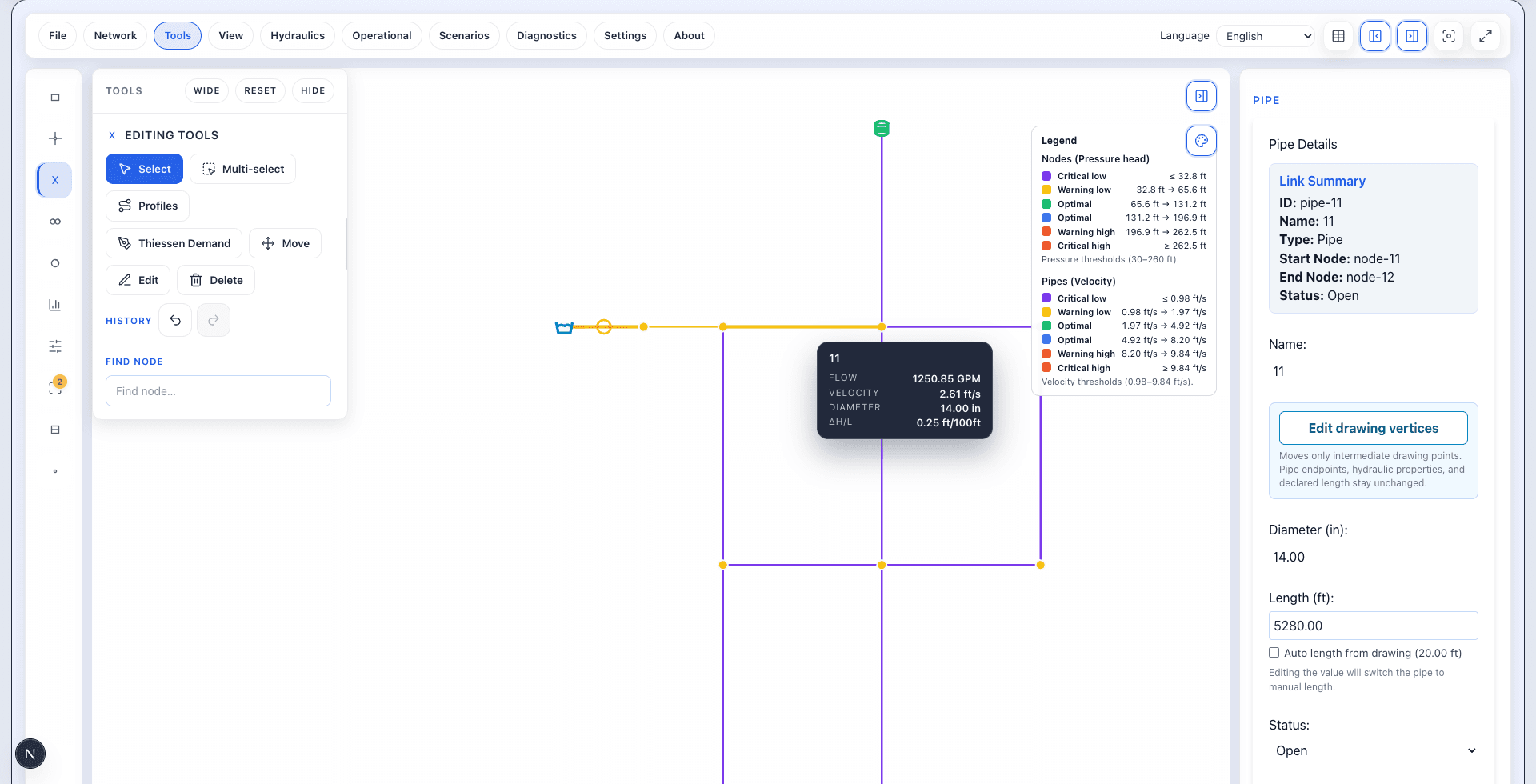
Import the file, run a steady-state calculation, and review the results. The starting tutorial follows this workflow using a public sample model.
- Import: confirm that the network is complete and recognizable.
- Run: wait for confirmation before reading results.
- Review: connect the legend with values for a node or pipe.
03
Choose your starting point
If this is your first visit, explore the interface first. If you already know the panels, go straight to the import tutorial.
Do it in WatDis
- Open WatDis and locate the canvas where your network will appear.
- Open the import, run, and review tutorial to follow it with your file.
Common mistakes
Starting without keeping the original
Work with a copy of the INP so you can return to the initial conditions.
Confusing a drawing with a calculation
Seeing the network confirms the import. Run the model before reviewing hydraulic results.